
Split the bill. Share one link.
Scan a receipt, split it item by item, and send everyone their share. Nothing to install, no account to make.
How it works
Three screens between the receipt and everyone knowing what they owe.
-
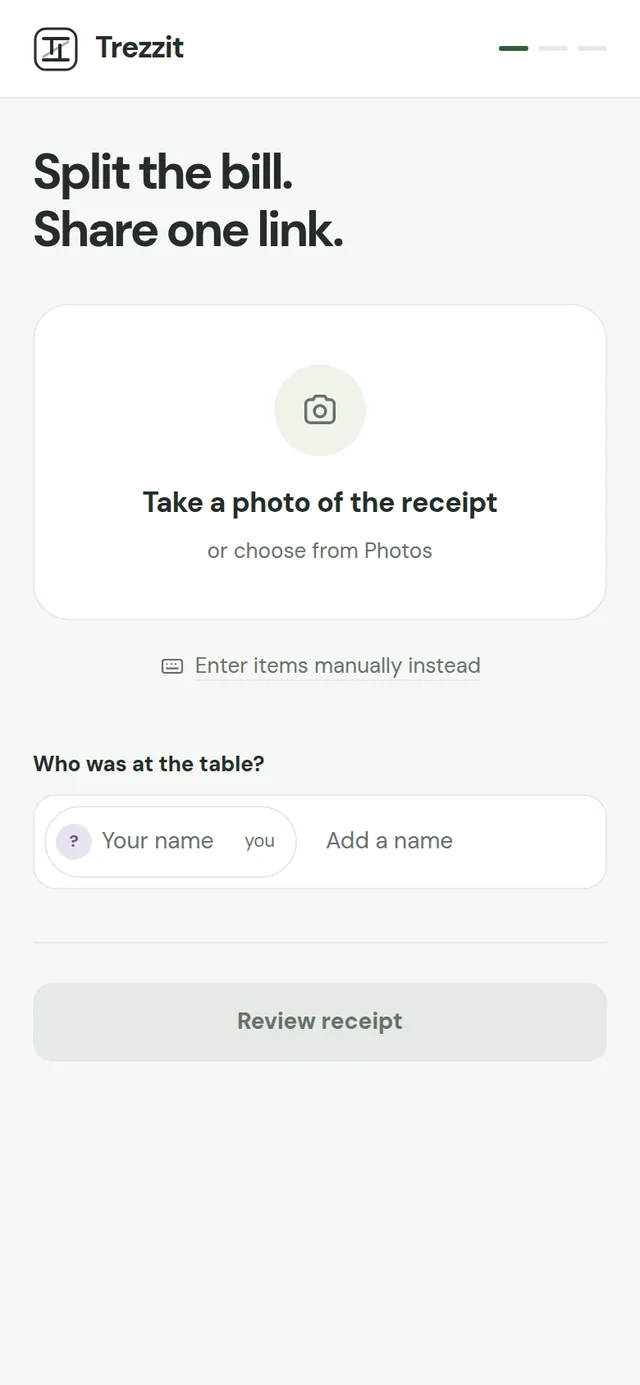
Scan the receipt
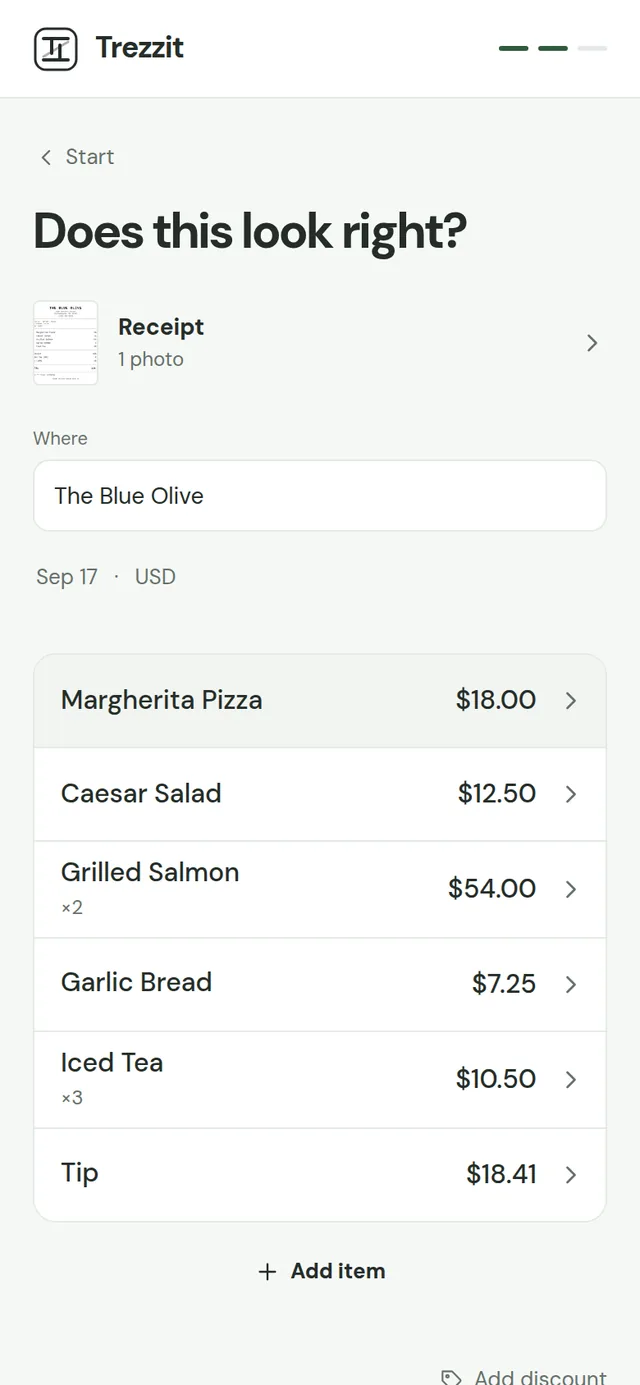
Take a photo. Trezzit reads the items, the prices, the tax and the tip.
-
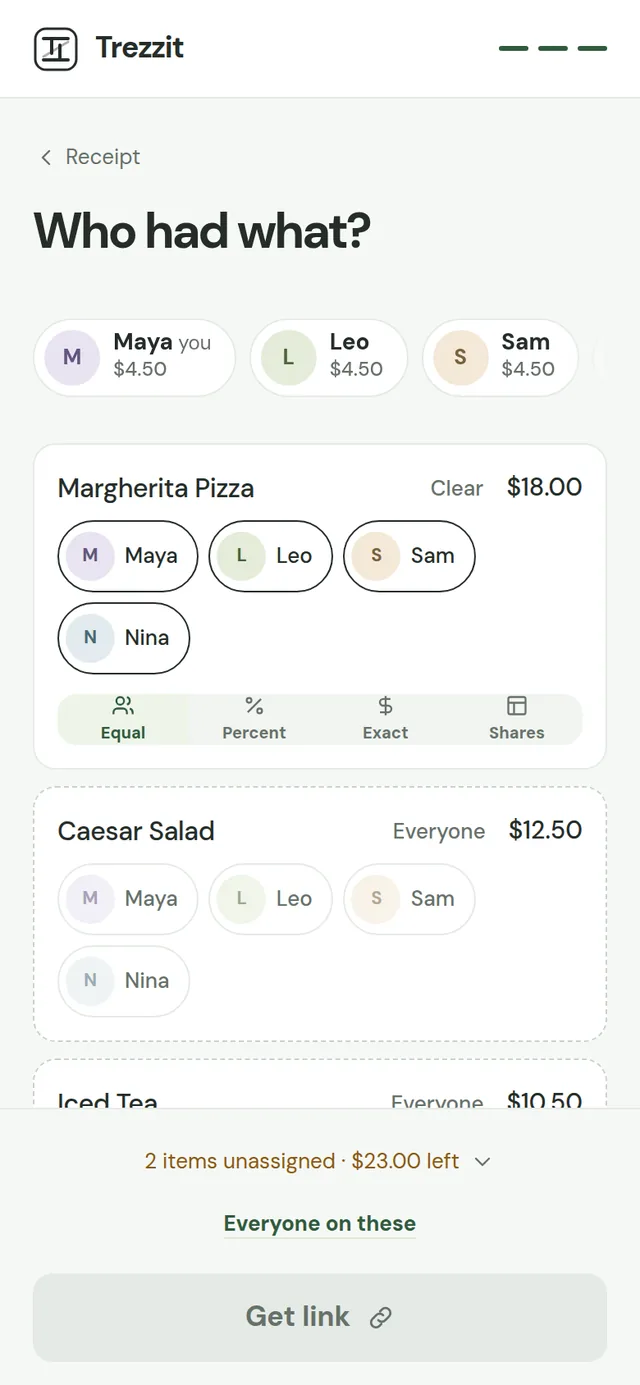
Give each item to the people who had it
Tap a name, then tap what they ordered. Split anything equally, by share, by percent or by exact amount.
-
Send one link
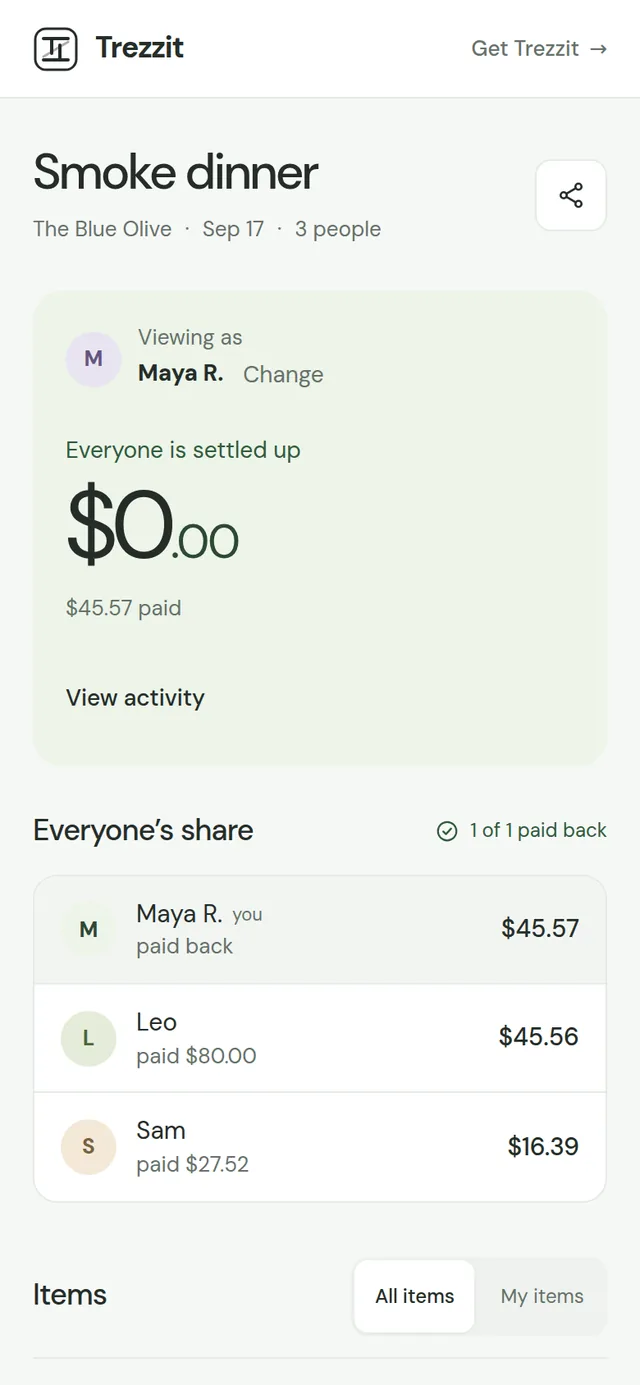
Everyone opens it on their phone, sees their own share, and marks it paid when they have.
What the table sees
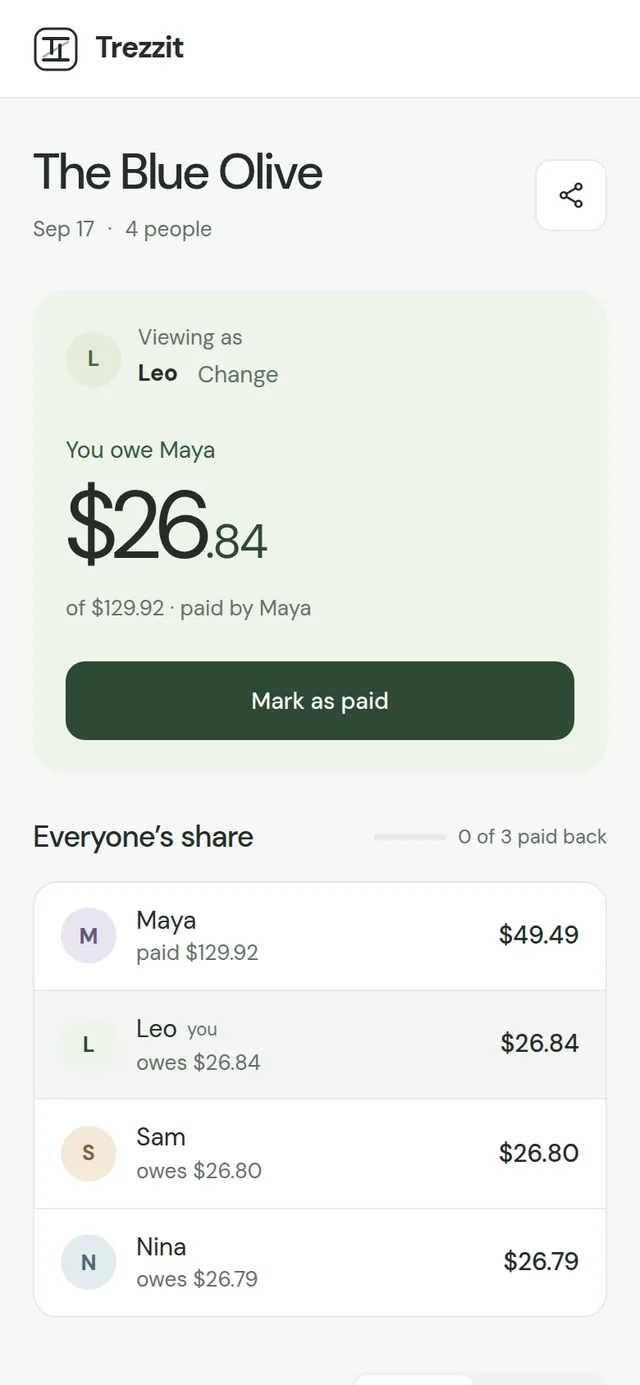
The link opens in the browser on any phone. Nobody installs anything or signs up.
-
Your share
One number: what you owe, or what you are owed, with the items and the tax and tip behind it.
-
Mark as paid
Tap it once you have paid. Part of it counts too, and anyone can undo a mistake.
-
Everyone's share
Who paid the bill, who has paid back and who has not, on one page for the whole table.
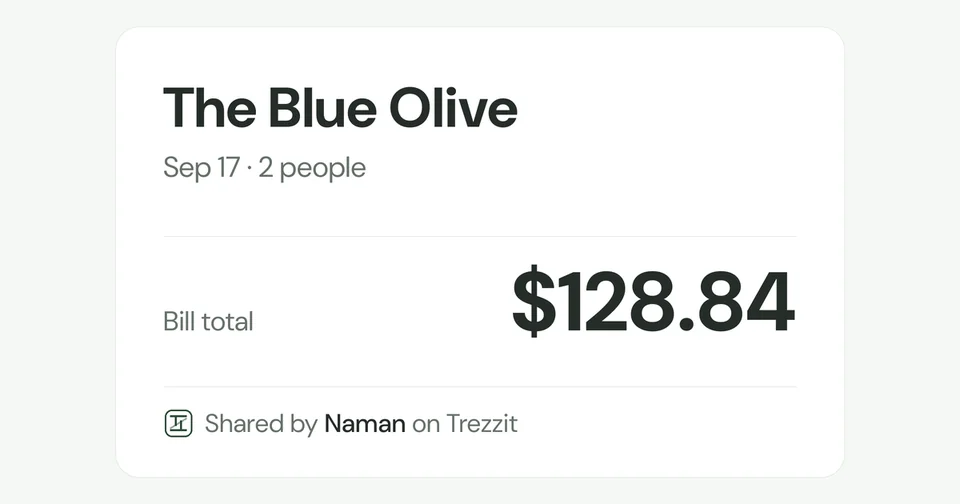
In the group chat, the link shows the place, the date and the total before anyone taps it.
Made for the table
-
Tip, equally or in proportion
Split the tip evenly, or in proportion to what each person had.
-
Tax follows the item
Tax is applied per item, so it lands on whoever ordered it, not on the table.
-
Photos or a PDF
Scan a photo of the receipt, or the PDF the restaurant emailed.
-
Kept for 90 days, or for good
A shared bill stays up for 90 days after the last activity. Sign in and save it, and it stays for good.
Questions
How do I split a restaurant bill with friends?
Take a photo of the receipt. Trezzit reads the items and their prices, and you tap each person's name and then the items they had. It works out what everyone owes, including tax and tip, and gives you one link to send to the table.
Can I split a bill without downloading an app or making an account?
Yes. Splitting a bill on Trezzit runs in the browser and needs no account, on your phone or anyone else's. The people you send the link to do not need an account either — they open it, see their share, and mark it paid. You can sign in later to keep the bill.
How do you split a bill with tax and tip?
Tax is applied per item, so it follows whoever ordered that item rather than being shared out evenly. Tip is a separate line you can split equally or in proportion to what each person ordered. Everyone's total shows the item, the tax and the tip that make it up.
Can I split a receipt when everyone ordered something different?
That is what Trezzit is for. The unit is the item, not the bill, so two people can share a starter while a third pays only for their own main. Any single item can also be split equally, by share, by percentage or by exact amount.
The next bill takes a minute
Start a splitTrezzit keeps the money after the bill. Sign in and every split is saved for good, with who owes whom across all your groups. More about Trezzit · Create an account